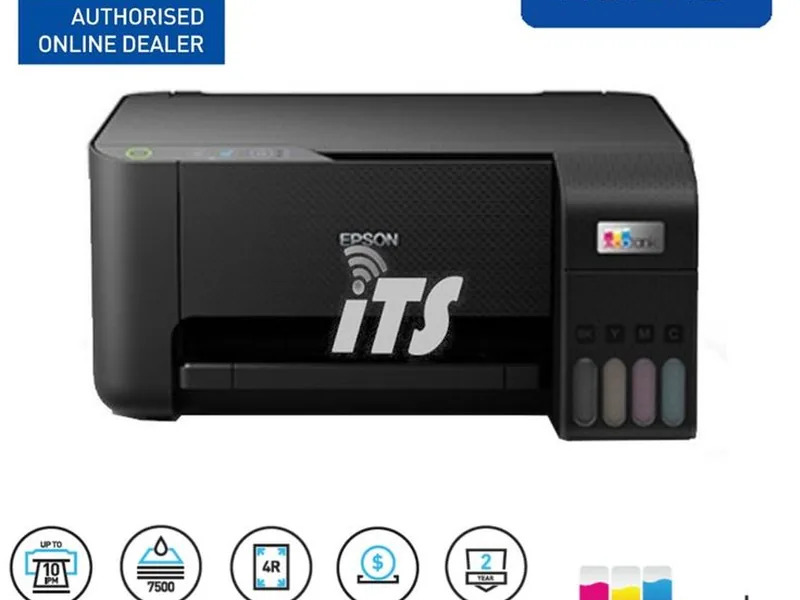
About Epson EcoTank L3210 Print Scan Copy Printer
Experience the ultimate in cost-effective printing with the Epson EcoTank L3210, the distinguished all-in-one printer championing reduced costs and high output. With a generous 65 ml ink tank capacity for each color and impressive print speeds of up to 33 ppm (Black), it is a true find for both home and office users. This device stands out as a reliable and efficient solution, delivering sharp print, scan, and copy results, and supporting a wide array of media and operating systems for versatile applications.
Versatile Application Surface and Areas
The Epson EcoTank L3210 Print Scan Copy Printer adapts to various surfaces, from plain papers to glossy photo sheets and envelopes. Perfectly suited for homes, offices, and creative studios, its multi-function capability ensures every printing, scanning, or copying requirement is met with ease. The simple desktop installation method provides immediate readiness, championing user convenience and reducing preparation time for everyday tasks.
Certifications, FOB Port, and Main Domestic Market Insights
The distinguished Epson EcoTank L3210 boasts industry certifications that enhance its market value. Compatible with major FOB Ports across India, this product is a top proposal amount selection for businesses aiming to reduce charges and streamline print operations. Serving the main domestic market in India, it is designed to address local needs efficiently by combining superb technology with reliable after-sales support, ensuring customer satisfaction throughout.
FAQ's of Epson EcoTank L3210 Print Scan Copy Printer:
Q: How do I install the Epson EcoTank L3210 on my computer?
A: You can install the Epson EcoTank L3210 by connecting it to your computer via USB and following the OS-specific setup instructions, compatible with both Windows and Mac systems.
Q: What is the process for refilling the ink tanks?
A: Simply open the designated ink tank covers, pour the appropriate ink from Epson's CMYK bottles into each compartment, and securely close the lids after refilling. Always use genuine inks for optimal performance.
Q: When is the best time to use borderless photo printing?
A: Borderless photo printing is ideal when you want to create professional-quality photographs or presentations without white borders, making your images stand out.
Q: Where can I use the L3210 for maximum benefit?
A: The printer is perfect for both home and office environments, handling everything from high-volume document printing to vivid photo production, ensuring versatility for various tasks.
Q: What are the key benefits of choosing the EcoTank L3210?
A: It offers high page yields at a reduced cost, efficient multi-functionality (print, scan, copy), low power consumption, and compatibility with various paper types and sizes.






 Send Inquiry


 Send Inquiry